Current page
Dec 10, 2025
#1 Add an end screen with a timer
If you don’t have an end screen at the end of your ad, you’ll lose a lot of people who would have clicked your ad, but didn’t have the time to do so.
Because once your ad is over, either the video the user has originally clicked on, or the next ad will instantly start playing.
And maybe the viewer wanted to watch the ad till the very end and then click the ad, but now it’s already gone.
So add an end screen with a 10-second timer and a call-to-action to give the viewer the possibility to watch the entire ad and still have 10 seconds to think about it and click it.
Here is an example of such an endscreen
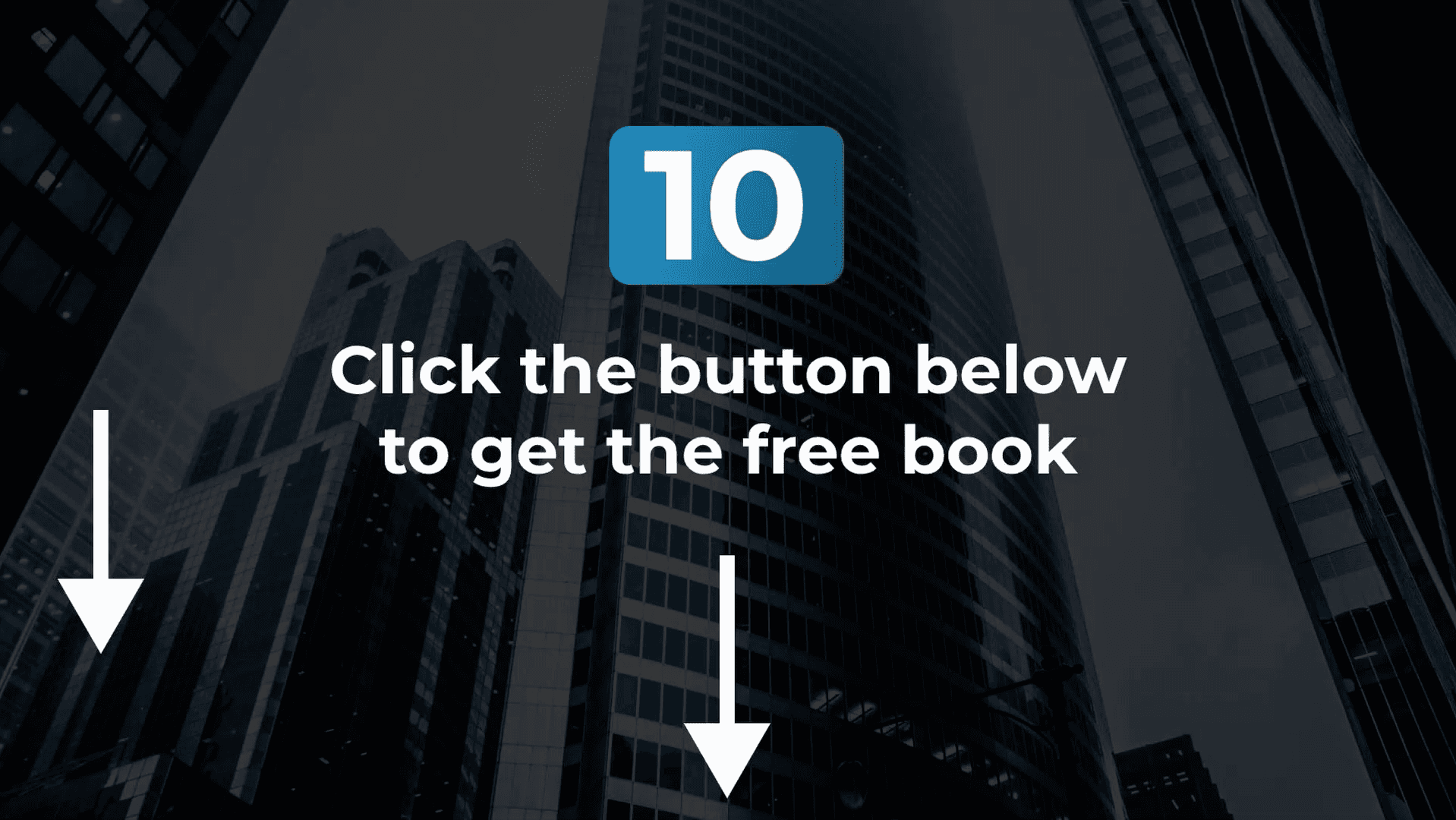
Our YTADS AI YouTube Ad Generator adds those end screens automatically.
#2 Don’t recycle meta ads on YouTube
Don’t be lazy and try to recycle your video ads from Meta/Facebook on YouTube.
Meta and YouTube are two completely different platforms, and therefore, the ads also have to be different.
Meta is interruption-based. Meta users open the platform without any clear intentions and just want to get entertained with random content that you are interrupting with your ads.
YouTube is a lot more intent-based. A lot of users open YouTube with clear intentions, like for example watching a tutorial to fix a certain problem, learning about a specific topic, watching product reviews, watching product comparisons, watching buyers' guides, etc.
That’s why successful YouTube ads have a very specific style, which is often totally different from successful Meta ads.
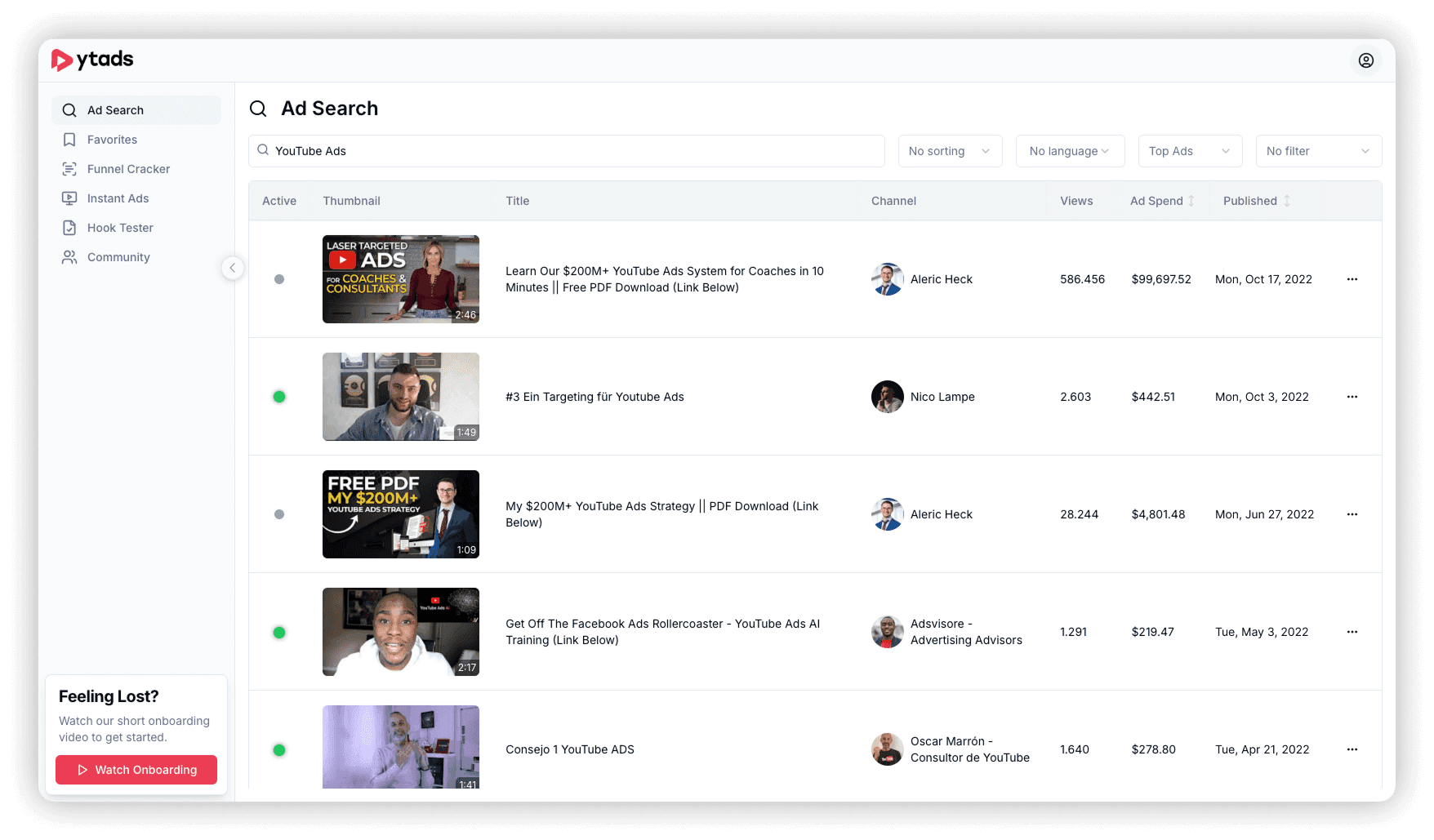
If you want to know what the most successful ads for your type of product in your specific niche look like, you can use a YouTube ad library or YouTube ad spy tool like YTADS to find and watch them.
#3 Test more ad creatives (but not how you think)
That testing more YouTube ad creatives is one of the best ways to increase overall ad performance is obvious, and everyone knows this. But why doesn’t everyone do it?
Pretty simple. On other ad platforms, you can launch simple image ads that you can create in a few minutes. In that case, launching more ads is super easy.
But on YouTube, we have video ads. And creating video ads is a lot harder and way more time-consuming. That’s why it’s almost impossible for most advertisers and brands without a huge budget or team to create and launch lots of ads every week.
The best solution for that is using hyper-realistic AI-generated YouTube ads for testing purposes.
Instead of brainstorming, writing, filming, and editing 20 ads for testing manually, you can generate 20 hyper-realistic AI YouTube ads in a few minutes.
And after testing those 20 ads and identifying all the winners, you could then re-film the AI YouTube ads authentically with a real human and then scale those. Because now you can actually justify that effort, because the ads are already proven to work. This way, you don’t have to film all ads (also the majority that fail), and only have to film the proven winners.
Or if you don’t care, you could also just keep scaling the AI ads.
Here’s what these hyper-realistic YouTube ads look like
AI-generated real estate YouTube ad
AI-generated biz opp YouTube ad
AI-generated fitness YouTube ad
AI-generated health YouTube ad
AI-generated dating YouTube ad
These ads have been created with YTADS, which many advertisers say is the best tool for AI-generated YouTube ads. Because unlike other AI video ad tools, which generate generic video ads for all platforms all at once, YTADS is specialized in YouTube ads, and YouTube ads only.
This means the AI ads YTADS is generating have been perfected to convert specifically on YouTube, while the AI ads other tools generate are watered down to work okayish on every platform.
#4 Create YouTube ads based on real-world performance data
Most advertisers either come up with ad scripts by trying to “think really hard” or by using general AI models like ChatGPT to write the ad scripts for them.
Trying to brainstorm profitable ad scripts by “thinking really hard” doesn’t work. It’s just guessing. You’re guessing what ad message could potentially work and hope that you’re right. You’re throwing ads against the feed and hope something sticks. It’s kind of like gambling with ad spend.
And while it may feel smart and advanced to let general AI models like ChatGPT, Gemini, Grok, or Claude write the ad scripts for you, all you’re doing is letting an AI do the guesswork for you. It’s exactly the same, but now it’s the AI that’s doing the guessing.
The only thing those general AI models know is the basic theory of writing ad scripts. They can give you some smart-sounding frameworks with fancy names and repeat the same old stuff everyone on the internet has been saying, but they have absolutely zero knowledge about real ads and their actual performance data.
And you can test this yourself. Ask ChatGPT if it can give you the links to the 5 most recent unlisted YouTube ads that some advertiser has launched. It won’t be able to give you any, because it doesn’t have that information and data in its training set.
So if you want to create ads based on real-world data instead of relying on luck, hope, and guesswork, you need either a YouTube ad library or YouTube ad spy tool to research the top-performing ads in your niche for your type of offer and then use those learnings the write the ad scripts yourself.
Or you need an AI model that hasn’t just been trained on theory, but also on millions of actual YouTube ads and their real performance data. This allows the AI to create pre-tested ad scripts based on proven ads.
YTADS allows you to do both. It has a YouTube Ad Library with millions of winning YouTube ads that allows you to research proven ad messages in your niche. And you can also use the YTADS AI model to write ad scripts based on real data.
#5 Add a title, thumbnail, description, and pinned comment
Most advertisers think that just because they upload their ad as an unlisted video to YouTube, they don’t need to add stuff like a title, thumbnail, video description, pinned comment, and so on. Most people think you can’t see the thumbnail, title, video description, or comments for a YouTube ad anyway.
While that is correct for in-stream ads, it is not correct for in-feed and Short ads.
If you click “play” on an in-feed ad, the ad opens and plays the same way as a regular YouTube video. So the thumbnail, title, video description, and comments are visible and therefore very important.
The best practice is to upload your unlisted YouTube ad as if it were a normal public YouTube video.
Eye-catching thumbnail
Title in a direct response headline style
Call-to-action with landing page URL in video description
Call-to-action with landing page URL pinned to the top of the comment section
#6 Use AI-generated YouTube ads
AI-generated YouTube ads are absolutely awesome. Not just because they allow you to create, launch, and test 10x more ads, but also because you can choose the perfect presenter for your offer.
Are you advertising a fitness or health offer? Use a personal trainer or doctor as the AI presenter for the ad.
Are you advertising a business opportunity offer? Use a wealthy guy in a penthouse as the AI presenter for the ad.
Are you advertising a dating offer? Use a good-looking woman as the AI presenter for the ad.
Normally, you’d have to hire expensive actors or UGC creators, book locations, and spend days filming and managing everything. But with AI YouTube ad tools like YTADS, you can generate endless YouTube ads with hyper-realistic AI actors in minutes.
# 7 Add captions to your ad
It is scientifically proven that we understand and remember material 20% - 50% times better when we’re not just hearing it, but also reading it at the same time.
So if you want your prospects to understand and remember the message of your ad 20% - 50% better, add captions to your ad.
A surprising number of people also watch YouTube videos without sound. For example, in public, when they don’t have headphones. Without captions, they won’t understand your ad at all. But with captions, they can read your ad.
YTADS adds captions to the AI-generated YouTube ads automatically. So in this case, you don’t have to do anything.


" transform="translate(3 3)" width="408.8293105604056px"/></svg>)